JiJi is heading out on an adventure in the islands!
Check out the student introduction video below for some highlights of this ST Math Journey. You can also find this video within our Guided Introduction - a great tool for introducing ST Math in your classroom.
Journey Organization
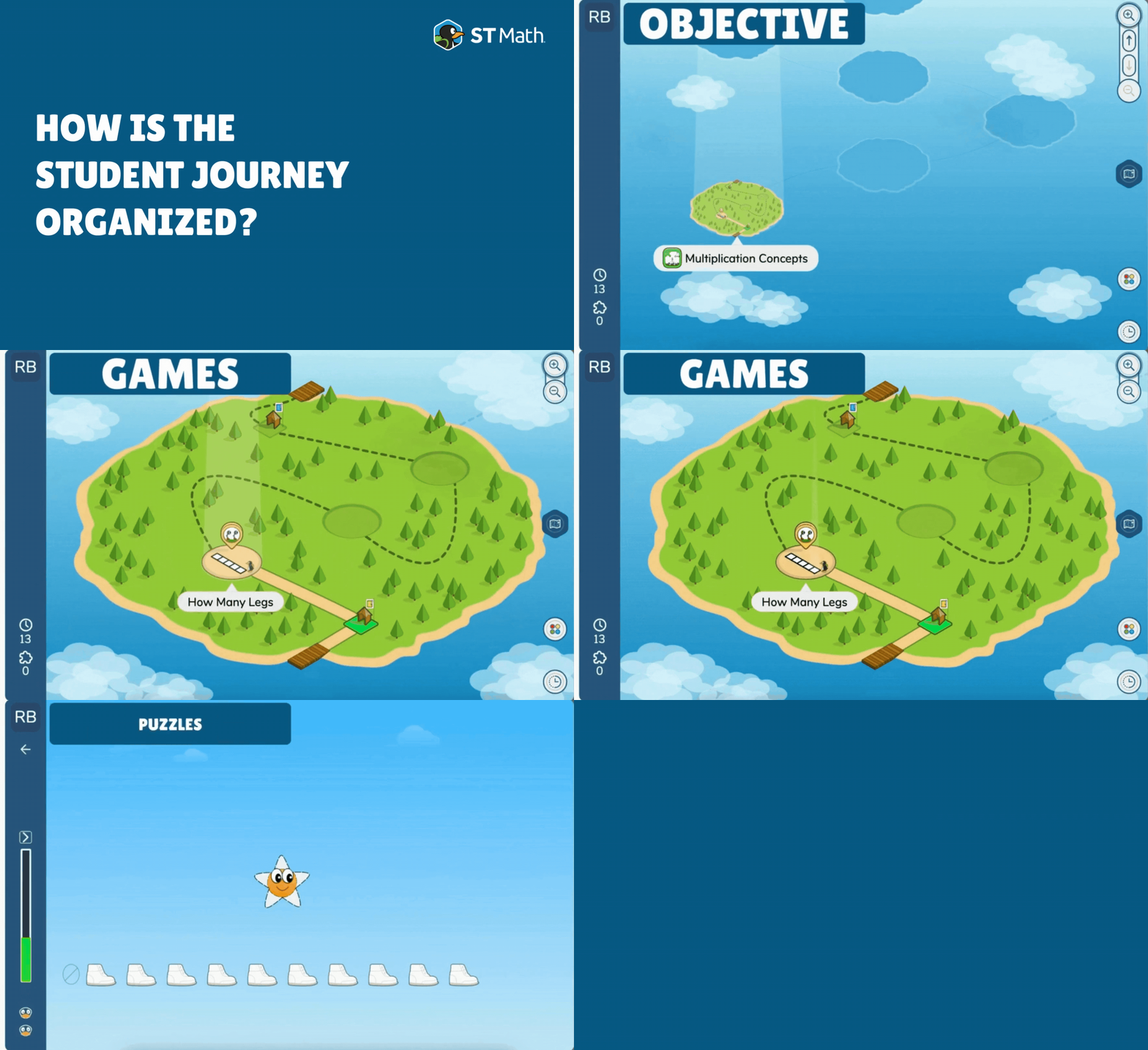
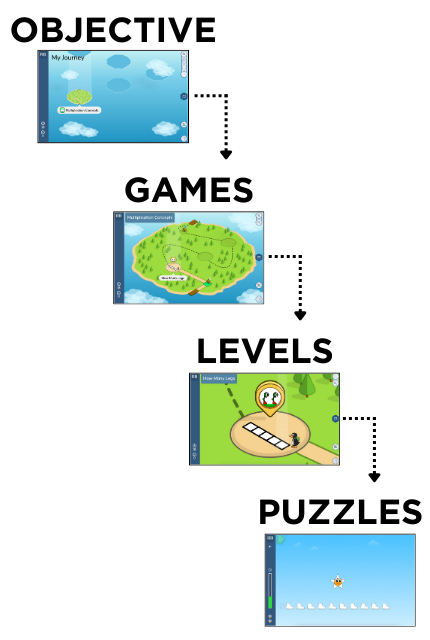
ST Math's student experience is called a Journey. Each Journey is made up of...
Objectives, represented by islands, that align with grade-level standards. Objectives are made up of..
Games that use different visual models to teach that concept. Games are made up of...
Levels that scaffold in difficulty. Finally, levels are made up of...
Puzzles - these are the individual “math problems” students solve. Students will collect puzzles along their Journey.
 |
 |
Navigating the Student Experience
|
Each Objective Island includes:
Resource: Student Experience - Icons & Routines - classroom posters and slides |
Student Progress & History
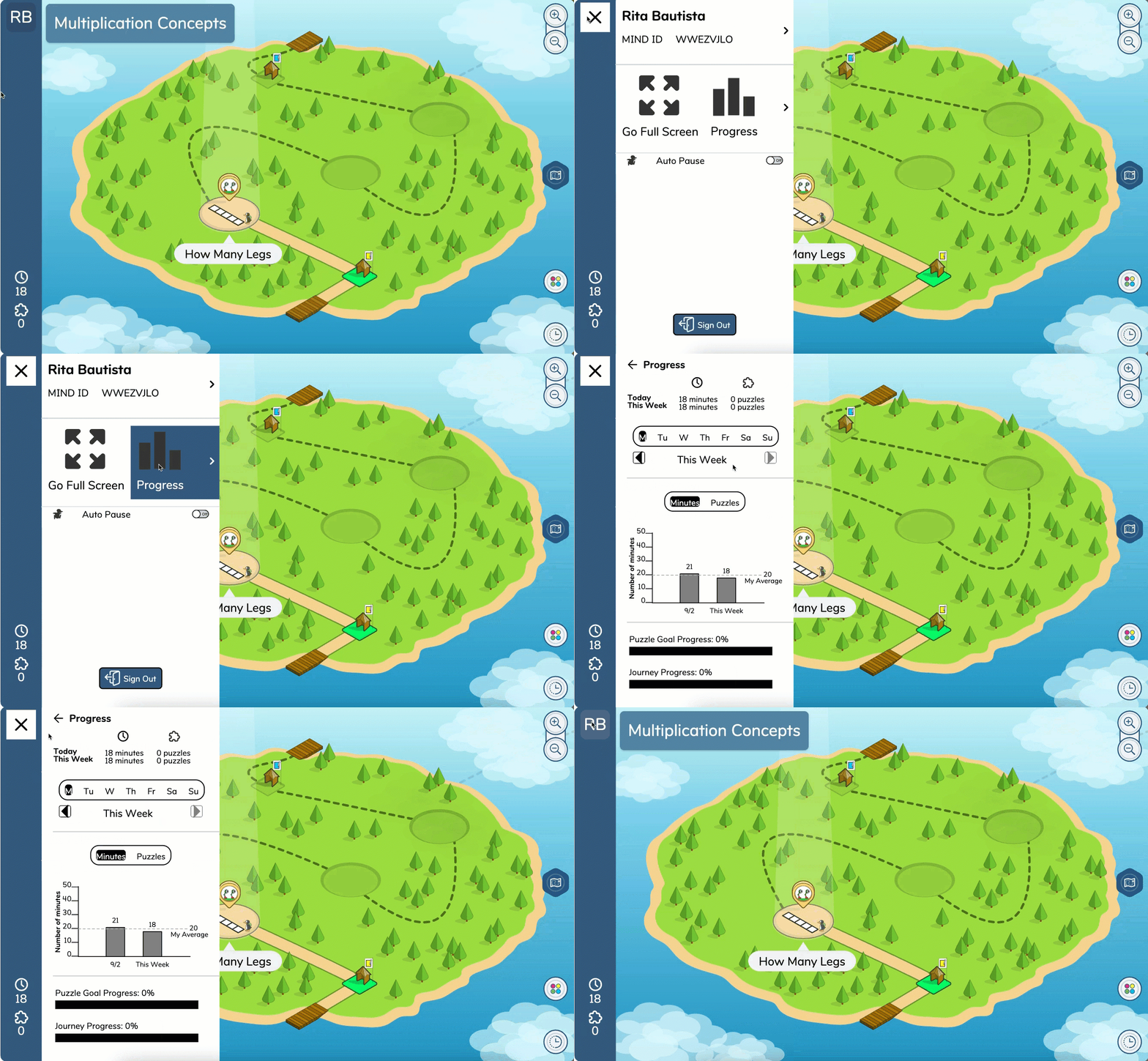
Clicking on the student's initials at the top of the new left-side taskbar opens a detailed account of the student's progress. To access history, select the clock icon on the bottom right.
 |
Progress Tab:
|
|
|
History:
|
Puzzle Screen
Here are some helpful features students and teachers can view or utilize during puzzle play.
|
Notes: Pen Tool - can be turned off in the educator console > settings tab Animation Fast Forward - available to students in grades 3+ if the first puzzle is solved correctly |
||
|
Puzzle Details - Use the arrow just above the progress bar to access:
Restart Puzzle Change Puzzles | ||
Two Pathways at the End of the Journey
Upon completion of the Journey, students will choose between playing Bonus or Challenge content. If students finish both pathways, they automatically restart their grade-level Journey.